


If you’ve noticed your Amazon sales suddenly drop, the most likely reason is Buy Box loss. The Buy Box is the gateway to 80–90% of Amazon sales, so when you lose it, your revenue, visibility, and even brand reputation suffer. If you need a broader framework for diagnosing and recovering ownership, start with how to win the Buy Box on Amazon.
But Buy Box loss doesn’t happen randomly. It’s driven by pricing thresholds, competition, fulfillment performance, and sometimes even external retailers. To understand the basics behind eligibility and rotation, it also helps to review how the Amazon Buy Box works and Buy Box rotation.
Table of Contents
- 1. Pricing Below the Competition
- 2. You’re Above the Buy Box Threshold (Landed Price)
- 3. Buy Box Suppression (No One Wins)
- 4. Poor Account Health or Performance Metrics
- 5. Out of Stock or Low Inventory
- 6. Fulfillment Method Disadvantage
- 7. MAP Violations and Price Wars
- 8. Vendor Central (Amazon Retail) Competition
- 9. Listing Issues or Policy Flags
- What To Do If You Lost the Buy Box
- Final Thought
1. Pricing Below the Competition
Price is one of the biggest Buy Box factors. If another seller, authorized or unauthorized, lists your product at a lower total price, including shipping, Amazon will likely award them the Buy Box. Automated repricing tools can make these changes in minutes, triggering a rapid race to the bottom. In many cases, this kind of pressure becomes even harder to control when price wars happen on Amazon or when resellers start undercutting the brand directly, which is why many brands also look at how to win the Buy Box against resellers.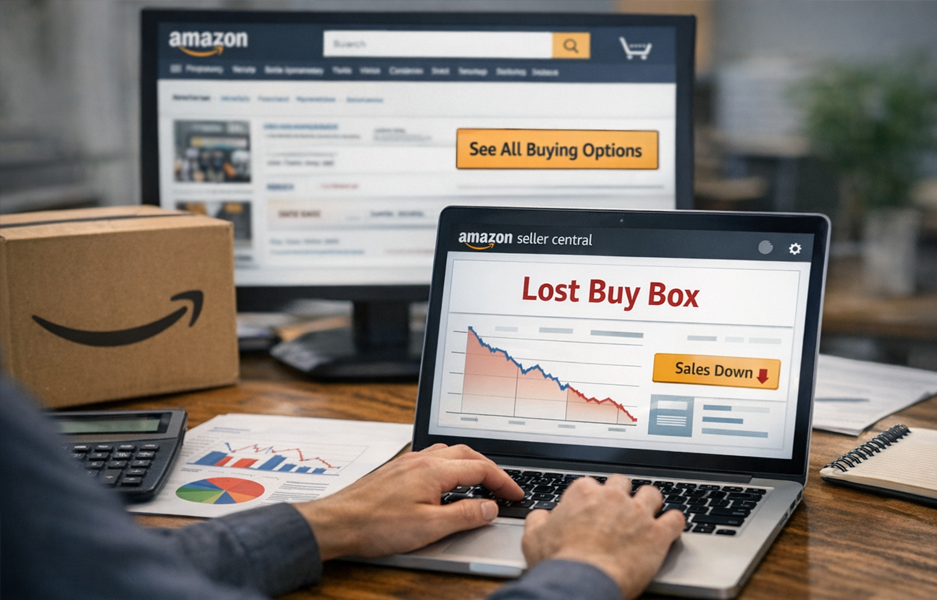
2. You’re Above the Buy Box Threshold (Landed Price)
One of the most misunderstood reasons for Buy Box loss is the Buy Box Threshold Price, also referred to as the Landed Price threshold.
Amazon sets a maximum eligible price for each ASIN. If your total price, item plus shipping, is above that threshold:
- You are not Buy Box eligible
- You receive zero Buy Box share
- You are excluded from rotation entirely
You can see this threshold in Seller Central or via Amazon’s API. For brands that want to protect this more proactively, Buy Box Opportunities can help identify the pricing and marketplace conditions driving the loss.
Important:
- Matching or being below the threshold does not guarantee the Buy Box
- But being above it guarantees you will not get it
Many sellers lose the Buy Box without realizing they simply priced themselves out of eligibility. This is one reason brands often ask why my brand is losing the Buy Box even when they think their Amazon pricing looks fine.
3. Buy Box Suppression (No One Wins)
In some cases, you don’t just lose the Buy Box. Amazon removes it altogether.
This is called Buy Box suppression.
A common trigger is external price pressure. If a reputable external retailer like Walmart, Target, or Best Buy is offering your product at a lower price than any Amazon seller, Amazon may:
- Lower the internal Buy Box Threshold
- Determine that Amazon pricing is uncompetitive
- Suppress the Buy Box entirely
When this happens:
- The Add to Cart button disappears
- Customers see See All Buying Options
- Conversion rates drop dramatically
Amazon will often keep the Buy Box suppressed until the Amazon price matches the lower external market price. This external parity enforcement is one of the most overlooked drivers of Buy Box loss. Amazon’s own Brand Registry resources can help brands understand part of the marketplace control layer, but pricing and distribution issues usually require a wider operational response.
4. Poor Account Health or Performance Metrics
Amazon rewards sellers who provide a strong customer experience.
If your order defect rate increases, late shipment rate rises, cancellation rate spikes, or negative feedback grows, your Buy Box share can decrease, even if your price is competitive and below threshold.
For teams trying to isolate whether the issue is pricing, seller activity, or account execution, Amazon Buy Box Analytics can add useful context over time instead of relying on one static snapshot.
5. Out of Stock or Low Inventory
No inventory means no Buy Box.
If you go out of stock, Amazon rotates the Buy Box to another seller. If inventory instability continues, Amazon may reduce your historical Buy Box weighting. Brands that want to understand how inventory movement can precede Buy Box disruption should also review restock inventory key insights for brands.
6. Fulfillment Method Disadvantage
FBA and Seller-Fulfilled Prime typically receive algorithmic preference.
If your competitor uses FBA and you are FBM:
- They may win at the same price
- They may win even slightly above your price
- They may get higher weighted Buy Box share
Speed and reliability matter. If you are trying to improve share more systematically, these strategies to win the Buy Box on Amazon can help frame where fulfillment fits into the bigger picture.
7. MAP Violations and Price Wars
If an unauthorized seller violates MAP and drops price aggressively:
- They may win the Buy Box
- Other sellers’ repricers may follow
- The Buy Box Threshold may adjust downward
- External retailers may price match
This creates a chain reaction that’s difficult to reverse. In these situations, brands often need both Amazon MAP monitoring and Amazon MAP enforcement to stop price erosion before it reshapes Buy Box eligibility.
8. Vendor Central (Amazon Retail) Competition
If Amazon Retail, through Vendor Central, is selling your product, they typically receive a higher weighted share of the Buy Box when:
- They are in stock
- Their price is competitive
- External parity is maintained
However, Vendor Central does not receive 100% of the Buy Box automatically.
If they are:
- Out of stock
- Above threshold
- Less competitive on landed price
Third-party sellers can still win or rotate into the Buy Box. This is also why understanding how Amazon decides the Featured Offer matters, especially now that Amazon uses Featured Offer language more often than Buy Box in some contexts.
9. Listing Issues or Policy Flags
ASIN compliance issues, IP complaints, variation errors, or restricted product flags can result in Buy Box suppression, even if you are the only seller. When marketplace control issues overlap with reseller behavior, brands may also need to address unauthorized sellers on Amazon as part of the recovery path.
What To Do If You Lost the Buy Box
1. Check the Buy Box Threshold First
Are you above the landed price threshold? If yes, adjust immediately to regain eligibility.
2. Check External Pricing
Is Walmart or another retailer cheaper? If so, Amazon may be suppressing until price parity is restored.
3. Audit Competing Sellers
Are unauthorized sellers undercutting you? If reseller pressure is persistent, removing unauthorized sellers on Amazon may be necessary to stabilize pricing and Buy Box ownership.
4. Monitor Inventory Stability
Stock consistency protects Buy Box weighting.
5. Improve Account Health
Fix metrics before Amazon reduces your share further.
6. Enforce MAP and Remove Unauthorized Sellers
Price erosion drives threshold changes and suppression. If the loss is already affecting visibility and revenue, the Amazon Buy Box Recovery Program is a more direct path to diagnosing what changed and restoring control strategically.
Final Thought
Buy Box loss is rarely random.
It is almost always caused by:
- Being above the Buy Box Threshold, also called Landed Price
- External retailer price undercutting
- Buy Box suppression
- Inventory instability
- Seller performance issues
- Competition from Vendor Central or aggressive resellers
If you don’t control pricing across channels, Amazon will.
If you don’t monitor the threshold, you may price yourself out.
And if you don’t manage external price parity, the Buy Box may disappear entirely.
Need help diagnosing your Buy Box loss and restoring control? Connect with Brand Alignment’s team.
We’ll identify what’s driving the loss and help you win it back strategically.
Take control of your marketplace presence with fast, effective brand protection strategies.
Every day, unauthorized sellers and MAP violations can erode your pricing, reputation, and revenue. Don’t wait for problems to escalate, start enforcing your policies and reclaim your market authority with our proven tools and expert support.


 Brand Alignment